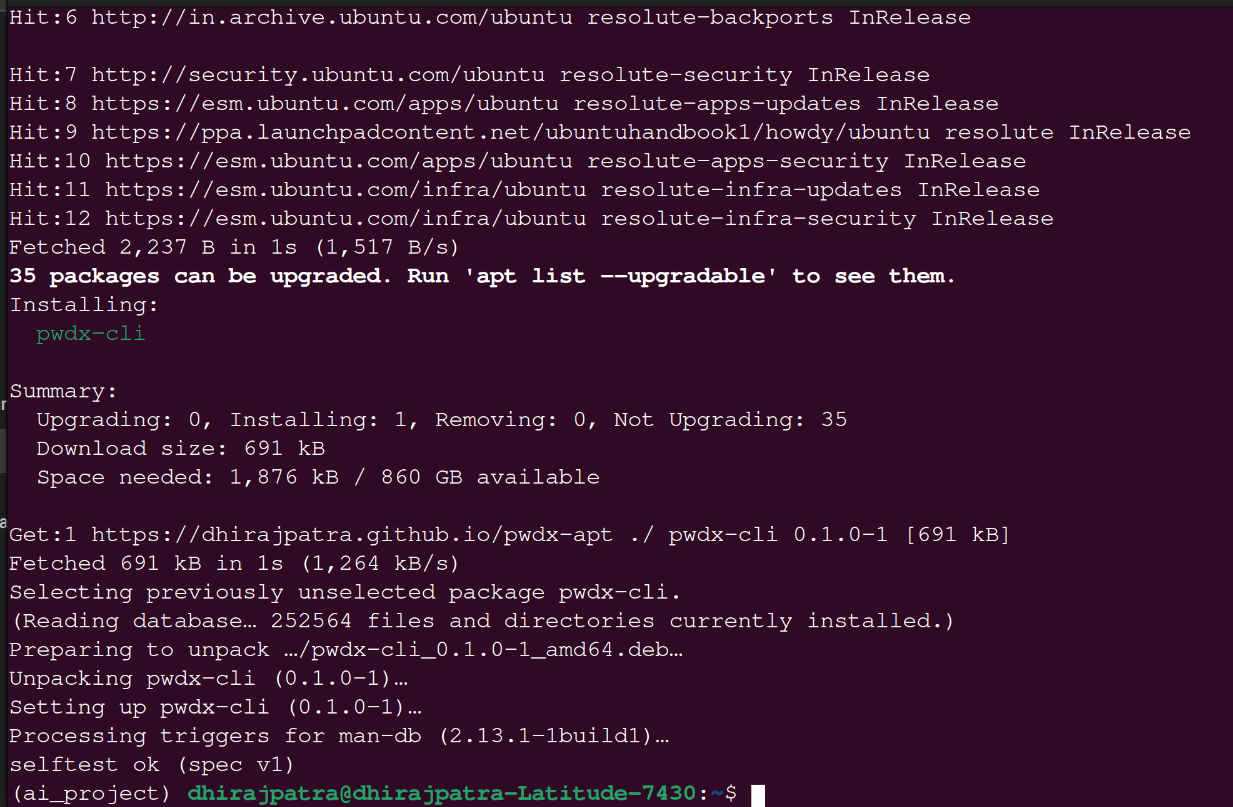
Use pwdx-cli get. Since you installed it with apt, the command is pwdx-cli, not pwdx.
Once, before your first site: create your key. Skip this if you already did.
pwdx-cli key newIt asks for a key-file passphrase (at least 12 characters). Then back up the file at ~/.config/pwdx/key.pwdxkey somewhere safe. To use your existing SSH key instead, run pwdx-cli key import-ssh ~/.ssh/id_ed25519.
For each site: run
pwdx-cli get github.com --user you@example.comIt asks for two things, and typing is hidden:
1. Key-file passphrase: the one you chose when you created the key.
2. Memorable password: the short password you remember.
It then prints the password for that site. Paste it into the site's sign-up or change-password page. The next time you log in, run the same command with the same inputs, and you get the same password.
What you can change:
pwdx-cli get github.com --user you@example.com --profile alnum        # letters and digits only
pwdx-cli get github.com --user you@example.com --length 16            # shorter
pwdx-cli get github.com --user you@example.com --counter 2            # new password after a forced change
Copy to the clipboard instead of showing it (Linux):
pwdx-cli get github.com --user you@example.com | xclip -selection clipboardInstall xclip with sudo apt install xclip if you don't have it. On Wayland, use wl-copy instead.
Windows
On Windows there are three places to think about: the program, the key file and your backups.
1. The program folder
Put it somewhere permanent that you control, not Downloads or Desktop:
# in PowerShell, from the folder where you downloaded the zip
Expand-Archive .\pwdx-0.1.0-windows-x86_64.zip -DestinationPath C:\Tools
Rename-Item C:\Tools\pwdx-0.1.0-windows-x86_64 pwdx
You now have C:\Tools\pwdx\pwdx.exe along with LICENSE, NOTICE and the README. Only pwdx.exe is needed to run it. Keep the other files next to it, because the license requires them. If you don't have rights to C:\Tools, use C:\Users\<you>\Tools\pwdx instead.
To type pwdx from any folder, add that folder to your PATH. This works without admin rights:
$u = [Environment]::GetEnvironmentVariable("Path","User")
[Environment]::SetEnvironmentVariable("Path", "$u;C:\Tools\pwdx", "User")
Then close and reopen PowerShell. To upgrade later, replace pwdx.exe in that folder.
2. The key file
You don't choose its location unless you want to. pwdx key new saves it automatically at %APPDATA%\pwdx\key.pwdxkey, which is C:\Users\<you>\AppData\Roaming\pwdx\key.pwdxkey. The command prints the exact path when it creates the file. The AppData folder is hidden, so to open it in File Explorer, paste %APPDATA%\pwdx into the address bar.
Two things to consider:
- Roaming profile: on a work laptop with a roaming profile, this folder can be copied to a server. The key file is encrypted, but a personal computer or a folder you choose yourself may be safer.
- Another location: to keep it somewhere else, for example on a USB drive, run:
setx PWDX_KEY_FILE "D:\secure\key.pwdxkey"
After this, reopen PowerShell and use that path. Or add --key D:\secure\key.pwdxkey to each command. pwdx never overwrites an existing key file.
3. Backups
Copy key.pwdxkey to at least two safe places, such as a USB stick kept somewhere else, and a copy in a password manager or other private storage. Check each copy with pwdx key id --key <path>; the 8-character code must match.
Never store these where someone could find them:
- Memorable password: never write it down anywhere, and never save it in a file.
- Key-file passphrase: never store it in the same place as the key file.
- Derived passwords: never keep a list of them. pwdx can recreate them whenever you need one.
4. A private notes file
pwdx doesn't remember how you set up each site. Keep a private note with the site, your username, and any options you changed from the defaults, such as github.com, me@example.com, --profile alnum --length 20, counter 2. That note contains no passwords. Put it in a password manager or any private file, and don't put it in the pwdx program folder.
Rules to remember:
- Use the same inputs every time. Site, username, counter, type and length must match what you used when you set the password. If you change any of them, you get a different password. Keep a note of any option you changed for a site, such as
--profile alnum. - Site spelling:
github.comandhttps://www.github.com/logincount as the same site. - No username on a site: use a fixed placeholder such as
-every time. - Different memorable passwords: if you type the memorable password differently, spaces and capitals included, you get a different password.
- Same results on every device: copy your key file to your other devices.
Switching an existing account to a pwdx password: log in to the site as usual, go to its change-password page, and use the new password from the command above. Keep the old one until the site confirms the change.
If you get stuck, send me the exact error and what you typed (not your passwords).